Xero Practice Manager (XPM) connects straight with Annature so you can send documents for signing and run Identity Verifications without leaving XPM. Client details pull through automatically, so there's no need to type them twice. Signed PDFs are saved straight back to the client's file in XPM, keeping everything tidy and up to date.
The Xero Practice Manager integration gives accounting firms a streamlined way to manage document signing and identity verification. Your XPM clients appear in a dedicated dashboard inside Annature, with contact details pre-filled. Send envelopes or start Identity Verifications in a few clicks, and let signed documents and verification certificates file back to the right client automatically.
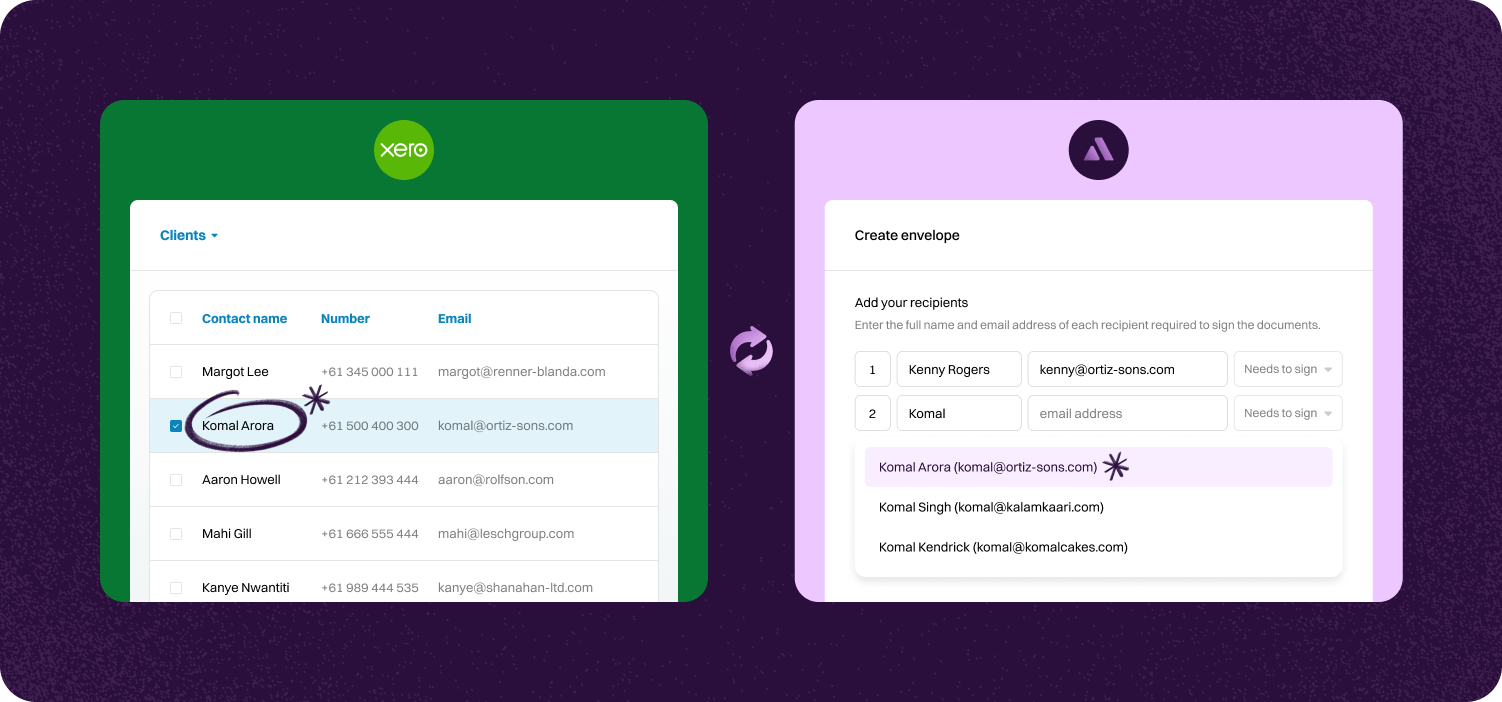

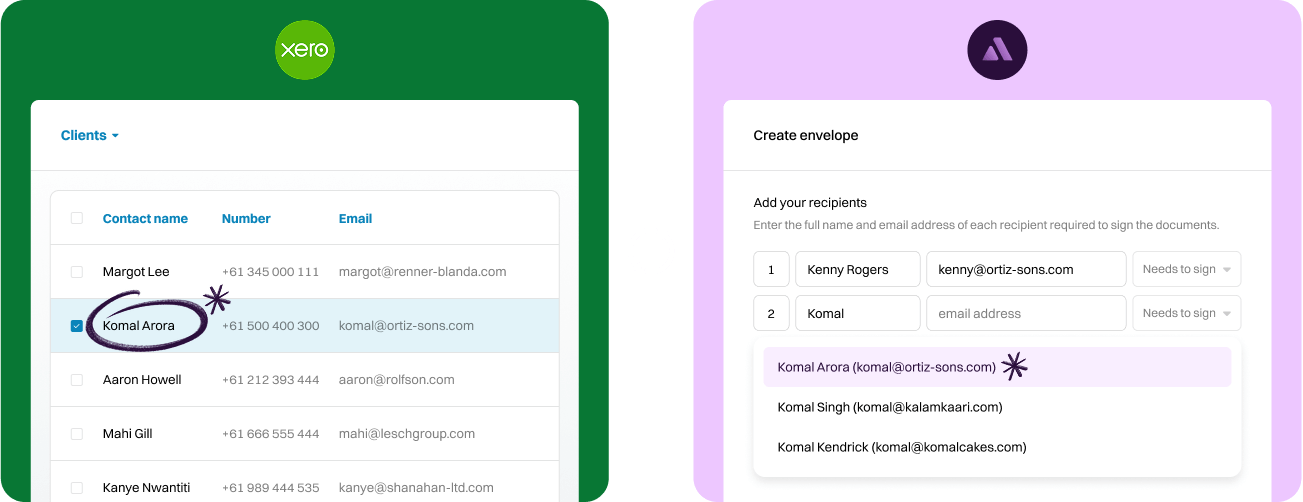
Pick your client in XPM and send documents for signing or start an Identity Verification in a few clicks. Contact details are pre-filled from XPM.
Once a document is signed, it syncs back to the right client in XPM. No need to chase or upload files — it's all handled for you.
Every signed document and Identity Verification includes a full audit trail and certificate. Signed PDFs and verification certificates file back to XPM, while completion certificates remain safely stored in Annature.
Step-by-step guide to linking account.
To connect Xero Practice Manager, go to Settings and click Integrations.
Next, Click Connect under Xero Practice Manager.


You'll be redirected to your Xero Practice Manager account. Log in to your account if you aren't logged in already.
Finally, you will be prompted to allow Annature access to your Xero Practice Manager account. Simply click on Allow access to complete the connection.


Once connected, Xero Practice Manager will be added to the dashboard's left-hand menu.

Annature integrates with Xero, Xero Practice Manager, Xplan, HubSpot, Zoho CRM, Close CRM, MYOB Practice Management, FYI, Worksorted, Mailchimp, Pinch Payments, and more. We're continually expanding our integration network.
Yes. Our integrations are designed to be straightforward, so you can connect your tools without needing IT expertise.
Yes. Our API lets developers build custom workflows and embed Annature directly into their own systems.
Yes. Annature has pre-built integrations with platforms like HubSpot, Zoho CRM, Close CRM, Xero Practice Manager, Xplan, and more. You can also use the API to build custom connections.
Schedule a free product demonstration with someone from our friendly on-shore sales and support team to learn more about Annature and our platform.
“Annature quite quickly became the first on the list to recommend to all my clients because of how well it worked for us. It looks beautiful. It’s easy to use. It scales properly on the phone.”