Pinch links with Annature so you can collect payment info and eSignatures in one go. Clients enter their payment details when signing, then you can either charge manually or set up automatic payments via Xero invoices. It's a true pay-as-you-go setup with no ongoing fees.
The Pinch Payments integration powers Annature's payment products. Once enabled, you can add a payment method field to your envelopes so clients provide their card or bank details securely while signing. Payment details are tokenised and stored as a pre-approval in Pinch, ready for you to charge when you need to — either manually or automatically when an Xero invoice falls due.
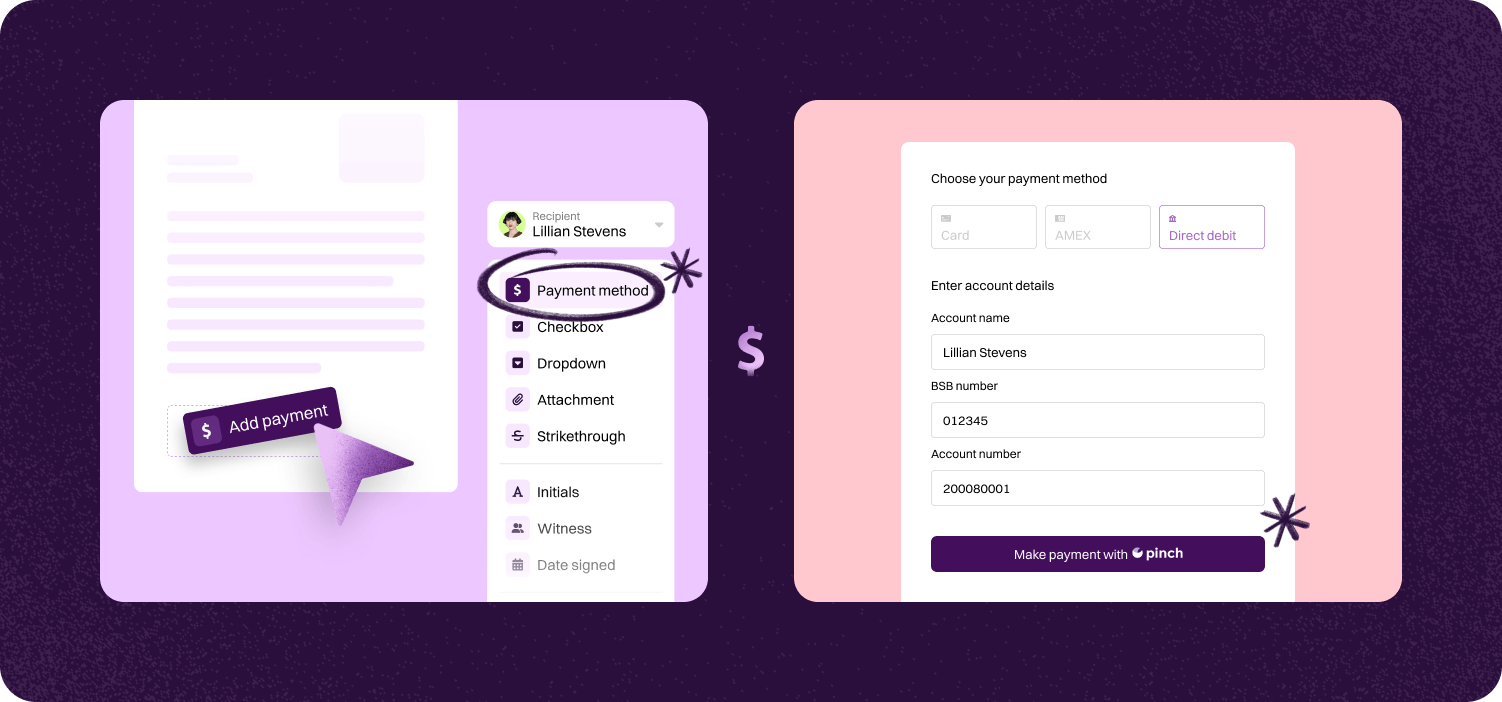

Add a payment field to your signing envelope. Clients provide their payment info — credit card or bank account — securely while signing.
Use the payment info you collect to set up automatic payments on Xero invoices or charge manually. Pre-approvals can auto-debit when invoices are due.
Pinch charges only when you use it, with no lock-in contracts or ongoing fees. Start, pause, or scale payments based on your business needs.
Step-by-step guide to linking account.

Annature integrates with Xero, Xero Practice Manager, Xplan, HubSpot, Zoho CRM, Close CRM, MYOB Practice Management, FYI, Worksorted, Mailchimp, Pinch Payments, and more. We're continually expanding our integration network.
Yes. Our integrations are designed to be straightforward, so you can connect your tools without needing IT expertise.
Yes. Our API lets developers build custom workflows and embed Annature directly into their own systems.
Yes. Annature has pre-built integrations with platforms like HubSpot, Zoho CRM, Close CRM, Xero Practice Manager, Xplan, and more. You can also use the API to build custom connections.
Schedule a free product demonstration with someone from our friendly on-shore sales and support team to learn more about Annature and our platform.
“Annature quite quickly became the first on the list to recommend to all my clients because of how well it worked for us. It looks beautiful. It’s easy to use. It scales properly on the phone.”