Worksorted connects with Annature so you can send documents for signing straight from your client list. Client details sync through automatically, saving you from retyping. Once signed, the PDF goes back into the right client record in Worksorted to keep everything organised.
The Worksorted integration gives financial planners a streamlined way to manage document signing. Your Worksorted clients appear in a dedicated dashboard inside Annature, with contact details pre-filled and ready to go. Once a document is signed, it syncs back to the client's record in Worksorted automatically.
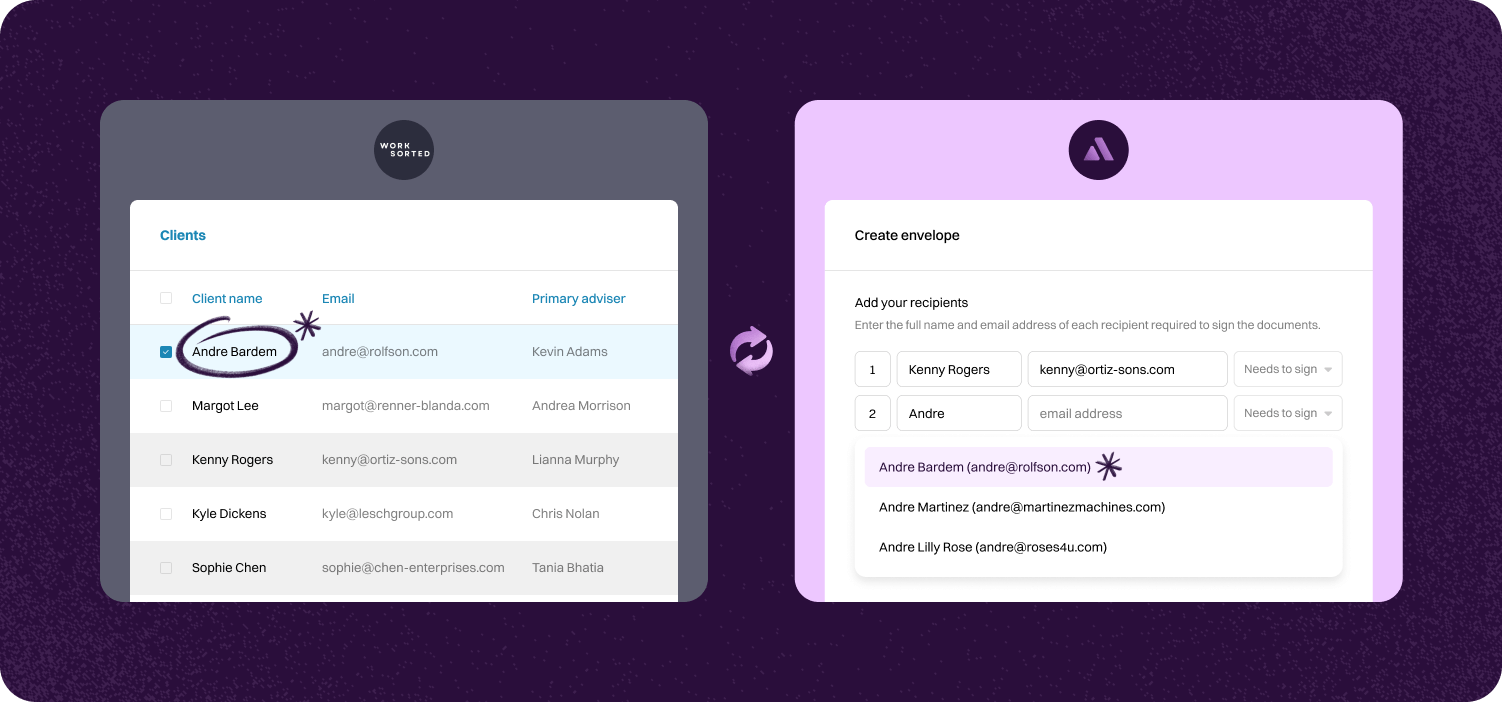

Pick a client in Worksorted and send documents for signing with a few clicks. Annature pulls the details for you so there's no double handling.
Once signed, the PDF files back to the client's Worksorted record. This keeps your files tidy and saves time.
Client details stay synced between Worksorted and Annature. You always have the right contact info when sending documents.
Step-by-step guide to linking account.

To connect Worksorted, go to Settings and click Integrations. Next, Click Connect under Worksorted.
After clicking Connect, you will be directed to the Worksorted sign-in page. Enter your Worksorted login details then click Login to continue.


Verify Worksorted has been connected via the Integrations page in settings.
Pressing configure, you can enable/disable the Worksorted integration dashboard, and also share it with a specific group.


Once connected and the integration dashboard enabled, Worksorted will be added to the dashboard's left-hand menu. This is where you can access all your Worksorted clients and view any envelopes associated with them.

Annature integrates with Xero, Xero Practice Manager, Xplan, HubSpot, Zoho CRM, Close CRM, MYOB Practice Management, FYI, Worksorted, Mailchimp, Pinch Payments, and more. We're continually expanding our integration network.
Yes. Our integrations are designed to be straightforward, so you can connect your tools without needing IT expertise.
Yes. Our API lets developers build custom workflows and embed Annature directly into their own systems.
Yes. Annature has pre-built integrations with platforms like HubSpot, Zoho CRM, Close CRM, Xero Practice Manager, Xplan, and more. You can also use the API to build custom connections.
Schedule a free product demonstration with someone from our friendly on-shore sales and support team to learn more about Annature and our platform.
“Annature quite quickly became the first on the list to recommend to all my clients because of how well it worked for us. It looks beautiful. It’s easy to use. It scales properly on the phone.”