Annature's integration with HubSpot allows you to create and manage envelopes against companies, contacts, and deals directly from your CRM, streamlining client communications and reducing manual work.
The HubSpot integration brings document signing into your existing sales and client workflows. Create envelopes linked to specific contacts, companies, or deals, and use templates that pull HubSpot properties directly into your documents. Track envelope status from within HubSpot so you always know where things stand.
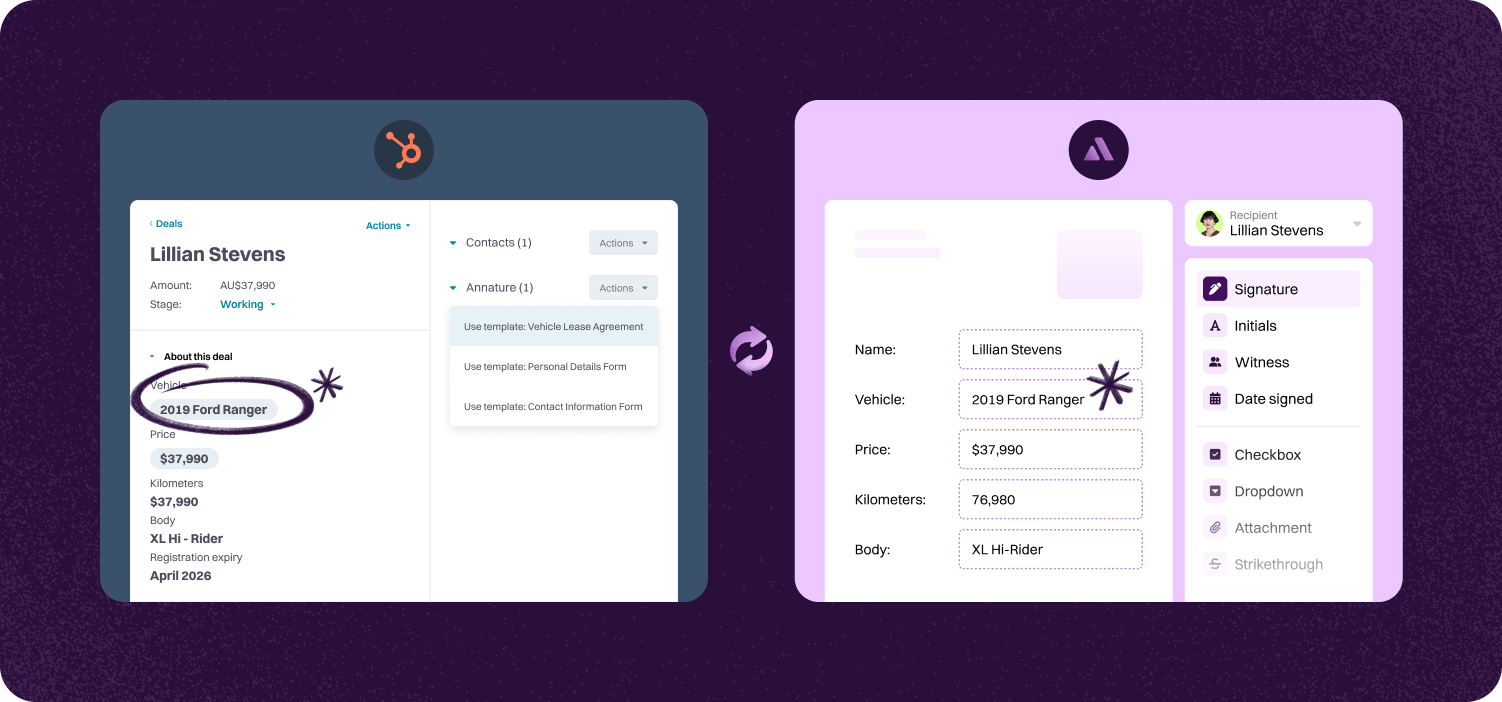

Create and manage envelopes within HubSpot, linking them to specific contacts, companies, or deals for streamlined operations.
Use templates that pull HubSpot properties directly into your Annature envelopes, such as purchase details and contact information. This saves time and reduces errors.
Monitor envelope status and manage documents directly from the HubSpot interface, keeping up-to-date information at your fingertips.
Step-by-step guide to linking account.

To begin, go to the Annature Integration page - this can be found settings > integrations. Find the HubSpot integration and click connect.
You will be taken to a new window where you will need to login to HubSpot. Use your usual HubSpot login here.

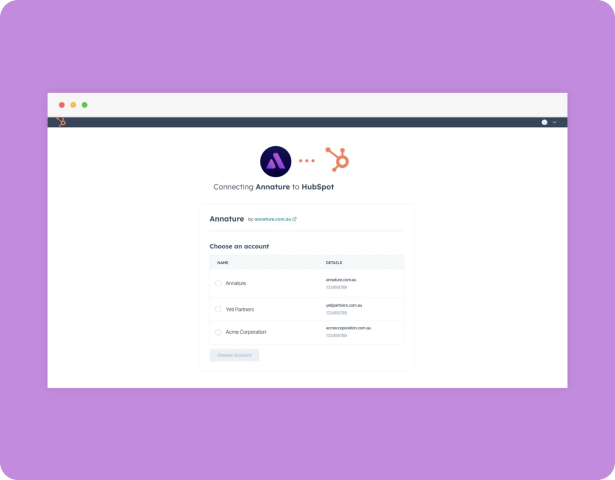
You will need to select the HubSpot account you wish to connect with Annature, if you only have one HubSpot account this step will be skipped automatically.
Once connected, verify the connection by checking for the green connected status on the Annature Integrations page.


Annature auto-syncs client and contact data from XPM. When you send documents or agreements from Annature, names, email addresses, and mobile numbers are auto-populated, reducing the chance of manual errors.
Annature integrates with Xero, Xero Practice Manager, Xplan, HubSpot, Zoho CRM, Close CRM, MYOB Practice Management, FYI, Worksorted, Mailchimp, Pinch Payments, and more. We're continually expanding our integration network.
Yes. Our integrations are designed to be straightforward, so you can connect your tools without needing IT expertise.
Yes. Our API lets developers build custom workflows and embed Annature directly into their own systems.
Yes. Annature has pre-built integrations with platforms like HubSpot, Zoho CRM, Close CRM, Xero Practice Manager, Xplan, and more. You can also use the API to build custom connections.
Schedule a free product demonstration with someone from our friendly on-shore sales and support team to learn more about Annature and our platform.
“Annature quite quickly became the first on the list to recommend to all my clients because of how well it worked for us. It looks beautiful. It’s easy to use. It scales properly on the phone.”